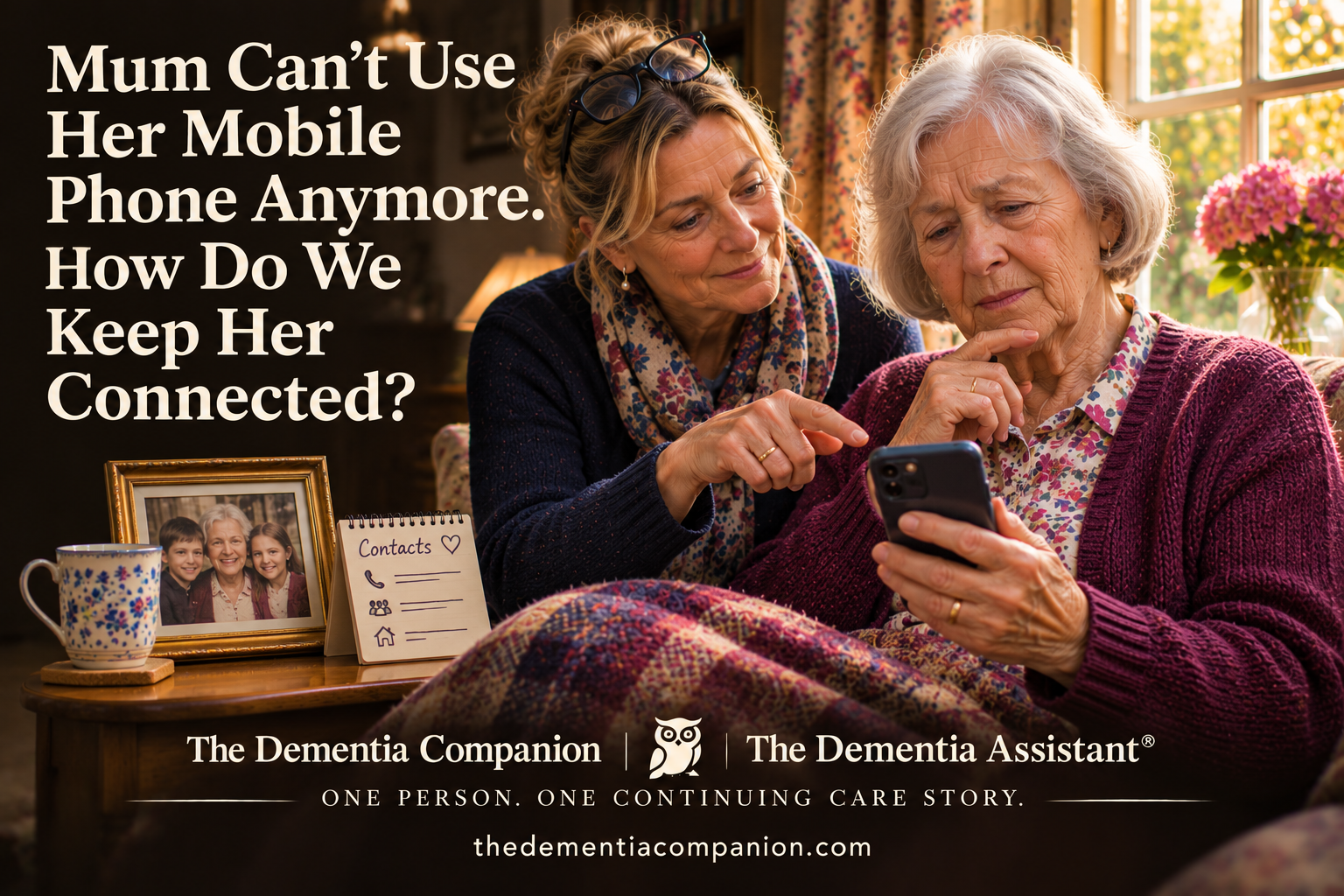
Mum Can’t Use Her Mobile Phone Anymore. How Do We Keep Her Connected?
Mum Can’t Use Her Mobile Phone Anymore. How Do We Keep Her Connected?
One Person. One Continuing Care Story. | Article 43 of 80
By Louise Donaghy, Dementia Practitioner, Founder of The Dementia Companion and The Dementia Assistant®, and Creator of Hugo Intelligence™.
“Mum, just press the green button.”
“Which green button?”
“The one on the screen.”
“Well, it keeps disappearing!”
You take the phone, show her what to do and hand it back.
“There you are, Mum. Easy.”
She smiles.
You smile.
Everybody is happy.
Until approximately five minutes later.
Your phone rings.
“Hello, love. I’ve done something to my telephone. I can’t find anybody’s number.”
You explain again.
She thanks you.
And then, just as you’re about to sit down with your cup of tea, the telephone rings again.
Except this time, Mum can’t hear you properly.
So now you’re shouting instructions down your own phone while she attempts to follow them on hers.
If you’ve ever tried explaining how to close an app to somebody who has accidentally opened six others, you’ll know that technology occasionally seems determined to test the strongest family relationships.
And yet, underneath the frustration, something much more important may be happening.
Mum is losing confidence in something she once managed herself.
Perhaps she used to telephone her friends every evening.
Send photographs of the grandchildren.
Arrange lunch with her sister.
Or keep in touch with family living abroad.
Now, every time she picks up her phone, she feels uncertain.
The buttons look different.
Messages appear unexpectedly.
The screen goes dark.
She forgets what she was trying to do.
And eventually, she may stop trying.
So what can families do when someone living with dementia can no longer use their mobile phone confidently?
The first step is not necessarily to buy another phone.
Start by finding out which part of using the phone has become difficult. Simplify the existing device where possible, consider accessible alternatives, protect the person from scams and make sure they have reliable ways to remain in touch and ask for help.
A phone should support Mum’s independence.
It shouldn’t become another daily reminder of what she finds difficult.
And if a phone is no longer suitable, that doesn’t mean her relationships have to disappear along with it.
The goal isn’t to make Mum master a particular piece of technology. It’s to keep her connected to the people and experiences that matter to her.
Why can dementia make mobile phones difficult to use?
A mobile phone may look like one small object.
But using it involves several different abilities.
You need to recognise the device.
Remember how to unlock it.
Understand what the symbols mean.
Find the person you want.
Choose the correct action.
Listen, speak or type.
And sometimes manage unexpected notifications along the way.
That is quite a lot of information.
Especially when a smartphone has decided that what you really need today is another software update.
Dementia can affect some of the abilities involved in these tasks.
But the difficulties vary greatly from person to person.
Mum may forget the steps
Perhaps she knows who she wants to telephone.
She recognises their name.
But she cannot remember how to reach the contacts list.
Or she presses the correct icon but forgets what to do next.
She may still understand the purpose of the call while struggling with the sequence required to make it.
The screen may feel overwhelming
Smartphones often display several options at once.
Icons.
Notifications.
Messages.
App updates.
Advertisements.
Calls.
And requests to enter passwords.
Someone experiencing difficulties with attention or processing information may find that overwhelming.
A seemingly small change to the screen layout may make the device feel unfamiliar.
Visual or spatial processing may have changed
Some people living with dementia experience changes in how they interpret visual information.
Icons that look obvious to one person may be difficult for another to recognise.
They may struggle to distinguish buttons from decorative images or to identify where to touch.
Other health conditions, including poor eyesight, can also contribute.
Physical difficulties may be involved
Perhaps Mum has arthritis in her hands.
Her fingers are less steady.
She finds a touchscreen difficult.
Or she cannot hold the phone comfortably.
These difficulties may have little to do with memory.
An accessible device or suitable adaptation could make a meaningful difference.
Hearing changes may make calls harder
Perhaps Mum answers the phone but cannot hear the conversation clearly.
She becomes frustrated.
Relatives repeat themselves.
Everybody starts talking louder.
And eventually, the whole experience becomes unpleasant.
A hearing assessment, hearing-aid review or an accessible audio arrangement may help.
Never assume that difficulty following a phone conversation must be caused by dementia alone.
The phone may simply have become more complicated
Sometimes the problem isn’t entirely Mum.
Sometimes it’s the phone.
A software update changes the layout.
A button moves.
An app starts behaving differently.
A new authentication screen appears.
Features that were familiar yesterday suddenly require new steps.
Before concluding that Mum has lost an ability, check whether the technology itself has changed.
Dementia may affect how somebody uses technology, but we should still investigate practical, sensory and technical explanations.
Does struggling with a mobile phone mean Mum’s dementia is getting worse?
Not necessarily.
A change in the ability to use a familiar phone may be worth discussing with a healthcare professional, especially if other abilities have changed.
But it cannot establish dementia progression by itself.
Perhaps Mum needs new glasses.
Perhaps her hearing has changed.
Perhaps the device has recently been updated.
Perhaps she’s tired, anxious or recovering from illness.
Perhaps the phone requires more complicated steps than it used to.
Or perhaps cognitive changes are contributing.
The important thing is to understand the pattern.
When did the problem begin?
Has Mum gradually found the phone more difficult over several months?
Or did she suddenly become unable to use it yesterday?
Those are different situations.
A sudden change in communication, understanding or ability to perform familiar tasks, particularly with new confusion, weakness or speech difficulties, may need urgent medical assessment.
Do not simply assume it is dementia.
If there are symptoms suggesting a stroke or another medical emergency, contact emergency services immediately.
Should I replace Mum’s smartphone with a simpler mobile phone?
Perhaps.
But not automatically.
Some people living with dementia continue using smartphones successfully with suitable adaptations.
Others find a simpler handset much more comfortable.
And some prefer returning to a familiar landline telephone.
The best choice depends on the individual.
Begin by asking Mum
What does she like about her current phone?
What does she find difficult?
Does she want to make calls, receive calls, send messages or see photographs?
Would she prefer physical buttons?
Is the touchscreen uncomfortable?
Does she want to keep her familiar phone number?
Does she feel confident using the device when somebody isn’t sitting beside her?
Her preferences should guide the decision.
Don’t take away a familiar device too quickly
Perhaps Mum has used the same type of phone for years.
Replacing it with something unfamiliar could make matters harder.
Consider simplifying the phone she already knows before introducing a completely new system.
Try before buying
If possible, let Mum try a device in a calm environment.
Check whether she can make and receive a call.
Can she hear comfortably?
Can she identify the person calling?
Can she manage charging?
Can she use the most important features with appropriate support?
Don’t assume that a phone marketed as dementia-friendly will automatically work for every person.
The Alzheimer’s Society has published experiences of people living with dementia testing easier-to-use mobile and landline phones, illustrating how different people value different features.
The most useful phone is not necessarily the one with the most features. It’s the one the person can use successfully.
How can I make Mum’s existing smartphone easier to use?
Sometimes small adjustments can make a considerable difference.
Ask Mum whether she’d like help making the device simpler.
Remove unnecessary clutter
Consider whether she wants fewer apps displayed on her main screen.
Keep the features she uses most often easy to find.
Perhaps:
Telephone.
Messages.
Photographs.
Camera.
And a familiar communication app.
Avoid removing applications or changing settings without discussing it with her, unless an appropriate legal or safety arrangement requires otherwise.
Make text and icons easier to see
Many phones allow adjustments to text size, display size, contrast and magnification.
These may help somebody who has difficulty reading or recognising small symbols.
But bigger isn’t automatically better for everybody.
Some people find very large displays more difficult because they must scroll more.
Try adjustments together and ask what feels comfortable.
Make important contacts easy to recognise
Consider placing frequently used contacts somewhere easy to access.
Photo contacts may be helpful for some people.
For example, Mum might recognise a photograph of her daughter more easily than a name in a long contact list.
But others may find pictures confusing.
Use whichever arrangement makes sense to the person.
Reduce unnecessary notifications
Constant alerts may be distracting or worrying.
Discuss which notifications Mum actually needs.
Consider whether promotional notifications or unnecessary app alerts can be reduced.
Be careful not to disable important medical, accessibility or safety-related alerts without reviewing the consequences.
Keep the charging routine familiar
Perhaps Mum could keep the charger beside the chair where she usually sits.
Or charge the phone overnight in a familiar place, if safe and suitable.
A simple written reminder may help when she can understand and use it.
If the phone is regularly left uncharged, ask whether another communication arrangement is needed.
Consider built-in accessibility features
Apple provides Assistive Access on compatible iPhones, offering a simplified interface designed to make certain everyday activities easier for people with cognitive disabilities.
This can include adapted calling, messaging and other familiar functions.
Android devices also offer accessibility settings such as text and display adjustments, magnification and other features, although available options vary by device and software version.
Ask Mum whether she would like to explore them together.
A simplified interface may help.
But no phone setting can guarantee that someone will always be able to use the device.
What if Mum keeps forgetting how to answer the phone?
This is one of the most common practical worries.
Perhaps her phone rings.
She looks at the screen.
The caller’s name is there.
But she doesn’t know how to answer.
By the time she works it out, the call has stopped.
Then she tries to call back and becomes confused.
Explore the exact difficulty
Can Mum see the incoming call?
Does she recognise the caller?
Does she understand which button answers?
Can she hear the ringtone?
Is the screen difficult to touch?
Does she become frightened by unexpected calls?
The answer will influence what might help.
Try familiar, simple practice
If Mum wants to practise, choose a calm moment.
Call her from another room.
Give one instruction at a time.
Let her try.
Avoid correcting every movement or rushing her.
If she’s comfortable, repeat the process occasionally.
But don’t turn family visits into endless technology lessons.
The purpose is confidence and connection, not passing a test.
Consider whether the device is still appropriate
If Mum cannot reliably answer calls despite suitable adjustments, a simpler phone or another communication arrangement may be better.
Families should also consider whether Mum needs another way to contact help if her phone cannot be used.
What if Mum keeps calling the wrong person?
Perhaps Mum intends to call her sister but accidentally calls her daughter.
Perhaps she repeatedly selects an old number.
Or perhaps she presses buttons without realising whom she’s calling.
Try to understand what is happening.
Is the contact list too complicated?
Are names difficult to recognise?
Is the touchscreen registering unintended taps?
Would photo contacts help?
Could the phone be simplified with Mum’s agreement?
Don’t automatically block everybody
Restricting calls may seem like a quick solution.
But it can also interfere with the person’s relationships and independence.
A phone configured to allow calls only to selected contacts may be appropriate in some circumstances, but the decision needs to consider the person’s wishes, abilities, risks and legal arrangements.
It should never be treated as the automatic response to a dementia diagnosis.
What if Mum keeps forgetting where she’s put the phone?
Ah, the missing phone.
A classic household mystery.
The phone may be in her handbag.
Under the newspaper.
Beside the kettle.
Or, occasionally, somewhere so unlikely that even Sherlock Holmes would ask for a cup of tea before continuing the investigation.
Before turning it into another memory-related argument, consider what might help.
Create a familiar home for the phone
Perhaps Mum has always kept important things in a particular place.
A side table.
A handbag pocket.
A small basket.
Use that familiar arrangement where possible.
Consider a locating feature
Some phones and accessories offer a way to find a misplaced device.
These can be helpful if the person and a trusted supporter can operate them.
But they depend on settings, connectivity, battery and the particular equipment.
Have a backup communication method
If the mobile is frequently lost, consider whether Mum needs another reliable way to make or receive calls.
A familiar landline may be helpful.
Or an appropriate personal alarm or other support service if she needs a way to summon assistance.
Do not assume that a mobile phone alone is an adequate emergency plan.
Could a landline actually be better?
For some people, yes.
A familiar telephone handset may be easier than a touchscreen.
Perhaps Mum remembers picking up the receiver and dialling a number.
Perhaps she prefers the sound and feel of a traditional telephone.
Some accessible home phones have large buttons or photo-based contact options.
But a landline isn’t automatically suitable either.
It needs to match Mum’s abilities.
And service reliability matters.
Depending on the country and provider, traditional telephone services may be changing or moving to digital systems.
Check how the particular service operates during power cuts or network failures.
If Mum relies on a telephone for urgent support, ask the provider about suitable resilience and emergency arrangements.
The right communication solution should be selected for the person, not because one type of technology is considered more modern.
Can voice assistants help Mum make phone calls?
Sometimes.
Voice-controlled features may reduce the need to navigate several menus.
For example, some devices can be set up to call familiar contacts using a spoken request.
This may be useful for somebody who can give clear instructions but struggles with touchscreens.
However, voice-controlled technology has limitations.
It may misunderstand names.
Require a particular phrase.
Depend on internet connectivity.
Or fail to recognise the person’s speech.
Some people may find speaking to a device confusing or uncomfortable.
Ask Mum whether she likes the idea.
Try it together.
And check whether she can actually use it without a family member prompting every step.
A voice assistant should not be treated as guaranteed emergency access.
How can we keep Mum connected to family overseas?
This is an important issue for many families.
Perhaps one daughter lives in England.
A son lives in Canada.
Grandchildren are in Australia.
And Mum has relatives in Ireland.
A phone may have been her main way of remaining involved in family life.
Losing confidence with it can make the distance feel much greater.
Keep communication familiar
Perhaps Mum enjoys receiving a telephone call every Sunday afternoon.
Perhaps she likes seeing photographs.
Perhaps video calls are comforting.
Or perhaps video calls are confusing and she’d rather simply hear a familiar voice.
Ask what she enjoys.
Make conversations manageable
If a large family video call is overwhelming, smaller one-to-one conversations may be easier.
Introduce who’s speaking.
Allow time for answers.
Avoid several people talking at once.
Keep the focus on connection rather than testing memory.
Use photographs thoughtfully
A photograph of a grandchild may create a lovely moment.
But don’t turn it into a quiz.
Instead of:
“Come on, Mum, you know who this is!”
Try:
“Here’s a lovely photograph of Sophie at the seaside.”
Then enjoy the conversation that follows.
Remember that connection doesn’t have to be digital
A handwritten letter.
A postcard.
A regular visit.
A familiar neighbour.
A scheduled telephone call.
Or an audio message played with appropriate support.
Technology can help people stay connected.
But it should never replace the human relationship it was meant to support.
What if Mum’s phone makes her more anxious?
Some people become distressed by unfamiliar calls, notifications or messages.
Perhaps Mum thinks a missed call means something terrible has happened.
Perhaps an unexpected notification frightens her.
Perhaps she repeatedly checks the screen.
Or becomes worried because she cannot understand a message.
Explore what she is experiencing.
Reduce unnecessary complexity
Consider whether Mum wants fewer notifications or a simpler screen.
Make familiar contacts easier to recognise.
Explain unexpected messages calmly.
Don’t assume every worry is caused by dementia
A suspicious message may genuinely be suspicious.
An unknown caller may have contacted her.
A family member may have left a confusing message.
Check the facts before dismissing Mum’s concern.
Seek additional help if anxiety persists
If distress is severe, new or significantly affecting everyday life, discuss it with an appropriate healthcare professional.
A phone adjustment may help, but it may not address every underlying cause of distress.
What if Mum answers scam calls or suspicious messages?
This deserves serious attention.
Mobile phones can support independence, but they can also expose people to fraud.
And scammers can be extremely convincing.
They may pretend to be from a bank.
A delivery company.
A government service.
A relative.
Or someone offering a prize.
Some use AI-generated voices or other deceptive techniques.
A person living with dementia may find it harder to recognise certain warning signs, although anybody can become a victim of fraud.
Start with a simple safety agreement
If Mum can understand and participate, agree on a few principles.
For example:
“If someone unexpectedly asks for money, we’ll check who they are before doing anything.”
“If somebody says they’re from the bank, we’ll contact the bank using the number we already know.”
“If a message asks for a password or code, we’ll check before responding.”
Avoid frightening Mum with endless warnings.
The aim is practical protection.
Explore suitable call filtering
Mobile networks and devices may offer spam filtering, blocked-number settings or other protections.
Ask the provider about available options.
Consider the impact on legitimate calls before restricting access.
If Mum has already shared information
Contact the relevant bank, account provider or telephone service promptly through independently verified details.
Ask about securing the account.
If money has been lost, report the suspected fraud through the appropriate national service.
Do not blame Mum.
Fraudsters exploit people.
The responsibility for the wrongdoing lies with the person committing it.
UK guidance
Ofcom advises forwarding suspicious text messages to 7726, a free reporting service supported by UK mobile networks.
For scam calls or suspected losses, use the appropriate current official reporting route.
Other countries have different reporting systems.
Never assume that the same number or procedure applies internationally.
Should I put a tracking app on Mum’s phone?
Only after considering her wishes, privacy, safety and the relevant legal requirements.
Location-sharing technology may be useful in some circumstances, especially where there is a risk of somebody becoming lost.
But it should not automatically be installed because a person has dementia.
Discuss the purpose
What concern is the technology intended to address?
Does Mum understand what information will be shared?
Who will have access?
Will she know when location-sharing is active?
Can the family achieve the same goal in a less intrusive way?
Technology has limitations
A location app may fail if:
The phone is switched off.
The battery is flat.
The device has been left behind.
There is no suitable signal.
Or the service is not functioning.
It cannot guarantee that Mum is safe.
Consent and legal authority matter
The Alzheimer’s Society and Dementia UK emphasise the importance of privacy, independence and appropriate consent when considering tracking technology.
If Mum cannot make the relevant decision, seek advice about the applicable legal framework and the least restrictive appropriate arrangement.
Do not treat family concern as automatic permission for covert monitoring.
Safety matters. So does Mum’s right to privacy and freedom.
Can a mobile phone replace an emergency alarm?
Not necessarily.
Some people can use their phone confidently to request help.
Others may struggle to unlock it, locate a contact or explain an emergency.
And a mobile phone may not be available when they need it.
If Mum has falls, significant mobility problems or difficulty seeking assistance, ask about a suitable care and safety assessment.
A professional may suggest a personal alarm or another appropriate support arrangement.
But even an alarm needs to be assessed for suitability.
Can Mum understand when to use it?
Can she activate it?
Is somebody available to respond?
What happens if the system loses power or connectivity?
An emergency plan is only useful if it works for the person in the situation they may actually face.
What if Mum lives alone?
Living alone with dementia does not automatically mean someone must move or lose access to technology.
Some people continue living independently with appropriate support.
Others require more assistance.
If Mum can no longer use her mobile phone, consider how she will communicate when she needs help.
Can she use another telephone?
Does she have trusted nearby contacts?
Are there professional care arrangements?
Does she need a personal alarm or other support?
Can she identify an emergency and request assistance?
If there are concerns, ask for a professional care and safety assessment.
The aim should be to preserve independence wherever possible while addressing actual risks.
What if Dad with dementia can use his phone but Mum cannot?
This is a useful reminder that dementia affects people differently.
One person may continue managing technology for years.
Another may find even a simple phone difficult.
A person’s ability can also vary between different tasks.
They might manage incoming calls but struggle with messages.
Enjoy photographs but not video calls.
Use voice commands but not a touchscreen.
Don’t assume that everybody with the same diagnosis needs the same device.
And don’t assume that because somebody struggles with a phone, they’re incapable in every other area.
One person. One individual set of abilities and preferences.
What if Mum becomes embarrassed when we try to help?
This may be the most important part of the whole conversation.
Imagine somebody standing beside you while you try to complete a task you’ve done for years.
They point at the screen.
Correct you.
Repeat instructions.
Take the device from your hand.
Then say:
“It’s easy, Mum.”
It may be easy for them.
But it doesn’t feel easy for you.
And now you feel foolish.
Perhaps even frightened.
Because you remember when you could do it without thinking.
Change the approach
Instead of:
“Honestly, Mum, I’ve shown you this ten times!”
Try:
“These phones can be confusing, can’t they?”
Or:
“Shall we work it out together?”
Or:
“Would you prefer to use a different way of calling?”
You don’t need to pretend there’s no difficulty.
But you can protect Mum’s dignity while helping her.
Let her do what she still can
If she can identify the person she wants to call, let her choose.
If she can press the final button, give her time.
If she prefers that you place the call, ask whether she’d like you to.
Assistance should be tailored to the task.
Not automatically become control over the whole device.
What should families record about Mum’s communication needs?
Imagine Mum begins struggling with her mobile phone.
Her daughter notices that she can no longer navigate the contact list.
Her son discovers that she can still answer calls when the phone is set up in a familiar way.
A care worker notices that Mum prefers the landline.
A granddaughter discovers that she enjoys listening to short voice messages.
Each person has learnt something useful.
Together, these observations could help the family develop a much better communication arrangement.
A fictional continuing care entry
Person: Margaret, aged 81.
What matters to Margaret: Regular contact with her daughter, grandchildren and sister. She particularly enjoys hearing family news and receiving photographs.
Current abilities: Recognises familiar callers and enjoys conversations. Can answer her landline independently.
Difficulties: Increasingly finds smartphone menus and incoming notifications confusing.
Preferences: Prefers spoken conversations to typing. Dislikes being rushed or having the phone taken from her hand.
What helps: A familiar handset, clearly labelled contacts, patient explanations and a predictable weekly telephone call.
What hasn’t helped: Repeatedly changing the phone layout or giving several instructions at once.
Safety considerations: Family reviewing whether Margaret has a reliable way to summon help when alone.
Professional support: Appropriate hearing, vision or functional assessment where indicated.
Review arrangements: Reassess communication needs if her abilities or circumstances change.
This example is fictional.
The details in a real care plan must reflect the individual.
Notice how different that is from simply writing:
“Margaret can’t use technology.”
One description closes down possibilities.
The other explains how to help Margaret remain connected.
Meet Hugo Intelligence™: helping families look beyond the phone
This is exactly the sort of everyday concern that inspired Hugo Intelligence™.
Because families often begin with one practical question.
But underneath it is something much bigger.
A change in independence.
A relationship becoming harder to maintain.
A safety concern.
Or the fear that somebody you love is becoming increasingly isolated.
Hugo Intelligence™ is the conversational, person-centred guidance system within The Dementia Assistant®, powered by Person-Centred Intelligence®.
His name represents:
H — Human
U — Understanding
G — Guidance
O — One person at a time
Hugo is represented by our owl mascot.
But his purpose isn’t simply to give you a list of gadgets.
He helps families explore dementia-related concerns through natural, continuing conversations.
Begin with the question you actually have
You might say:
“Hugo, Mum has dementia and she can’t work out how to answer her mobile phone anymore. She’s getting upset and I don’t want her to lose touch with everybody. What can I do?”
Hugo can explain general information about how dementia may affect technology use.
He can help you consider whether the problem involves memory, eyesight, hearing, touchscreen navigation or other factors.
He can suggest appropriate questions to ask Mum.
And he can help you think through simpler communication options.
Hugo can continue the conversation
Perhaps you then explain:
“She still enjoys talking on the phone.”
“She can’t recognise the icons.”
“She’s fine with her old landline.”
“She keeps answering scam calls.”
“Her grandchildren live overseas.”
“She forgets to charge the phone.”
“How can I put this into her care plan?”
Hugo can continue exploring the situation.
He can help organise factual observations.
Explain general technology-support options.
Suggest respectful communication approaches.
And identify circumstances where professional assessment or safeguarding advice may be useful.
General Hugo
A user can ask general dementia questions without creating or selecting an individual care plan.
For example:
“What are some ways to make a mobile phone easier to use for somebody with Alzheimer’s disease?”
Hugo can provide general educational guidance.
He does not need a named person’s care plan to answer general questions.
Personalised Hugo: using an explicitly selected individual care plan
Now imagine the family has created a care plan for Margaret.
It includes her preferences, relevant abilities, meaningful relationships, communication needs and previous experiences with technology.
When the user explicitly selects Margaret’s individual care plan, Hugo can use relevant information recorded in that plan to offer more personalised educational guidance.
For example:
“Hugo, using Margaret’s care plan, help us explore ways to keep her connected with her grandchildren that reflect her communication preferences and current abilities.”
Hugo can consider the relevant recorded information.
He may help explore suitable approaches to phone calls, familiar routines or alternative ways to communicate.
Hugo does not automatically access every care plan in an account.
The individual plan must be selected by the user.
Families supporting more than one person can maintain separate plans.
Hugo cannot remotely operate Mum’s phone, guarantee device safety, provide live emergency monitoring or determine legal capacity.
The Care Planning Centre™: keeping communication part of the person’s story
The Care Planning Centre™ helps people living with dementia and their families develop, review and maintain individual person-centred care plans.
Through guided Talk to Hugo conversations, families can explore questions such as:
“Who does Mum enjoy speaking with?”
“What communication methods does she prefer?”
“Can she use a telephone independently?”
“What has changed?”
“What supports her confidence?”
“How can she contact someone if she needs help?”
“What professional advice needs to be included?”
Relevant information can be organised into appropriate care-plan sections, with the user reviewing what is recorded.
The platform also offers care-plan review tools, gap suggestions and help with clearer professional wording.
Communication should never be an afterthought
If Mum needs help making calls, that information may matter to visiting carers.
If she cannot use a mobile in an emergency, it may be relevant to a safety assessment.
If she prefers speaking a particular language, that may matter when contacting services.
And if family conversations are a meaningful part of her week, support arrangements should consider how to preserve them.
A care plan shouldn’t simply describe medical and personal care needs.
It should help the people around Mum understand how she remains part of the world.
Daily notes: recognising what works
The Dementia Assistant® includes daily notes.
Families can record factual changes and useful observations.
For example:
Monday: Margaret became upset while trying to find her daughter’s number on her smartphone. She accepted support to make the call.
Wednesday: Margaret successfully answered a call on her familiar landline and enjoyed a conversation with her sister.
Friday: Her daughter helped Margaret explore larger display settings. Margaret found some icons easier to recognise but continued to prefer the landline.
Sunday: Family arranged a regular afternoon call with Margaret’s grandchildren. She appeared pleased to hear their voices.
These examples are fictional.
They do not establish a clinical cause.
But they help preserve what works for the individual.
Saved and categorised Hugo conversations
Families can save, categorise and revisit Hugo conversations.
They may begin with questions about mobile phones.
Later, they could explore communication needs, hearing difficulties, online scams or maintaining relationships across different countries.
Saved conversations support continuity in educational guidance.
They are not verified medical, technical or legal records.
Document organisation and exports
The Dementia Assistant® also supports organisation of relevant care information and documents.
Applicable exports include PDF, Word, CSV and JSON.
Families may share suitable information with authorised professionals, subject to the person’s wishes, privacy, consent and applicable permissions.
Do not store passwords, PINs, banking credentials or unnecessary account access details in ordinary care notes or Hugo conversations.
Family Circle: helping everyone understand how Mum prefers to keep in touch
Different relatives may have different expectations.
A daughter may assume Mum enjoys video calls.
A son may send long messages.
Grandchildren may prefer voice notes.
But Mum might simply want a familiar telephone conversation.
Family Circle supports appropriate sharing of care information between involved relatives.
This can help the family understand communication preferences and coordinate suitable contact.
Perhaps everyone agrees that a familiar afternoon call works better than repeated unexpected messages.
Perhaps the grandchildren learn that Mum enjoys photographs when somebody is there to help her view them.
Perhaps another relative can arrange regular in-person visits.
The important thing is that Mum’s preferences remain central.
Family Circle does not provide live supervision or automatically give relatives unrestricted access to her personal information.
Privacy and permissions matter.
Life Story and Memory & Moments: protecting connection beyond technology
Sometimes the telephone isn’t really the story.
The relationship is.
Perhaps Margaret and her sister have spoken every Sunday evening for forty years.
Perhaps her grandchildren send photographs of their holidays.
Perhaps she used to telephone her best friend after watching a particular television programme.
Those routines are meaningful.
They tell us something about Margaret’s life.
Life Story and Memory & Moments help families preserve meaningful experiences, relationships, photographs and personal history.
This information may help families and professionals understand how to keep the person connected.
Perhaps Mum no longer uses a smartphone independently.
But she still loves looking at photographs.
Hearing a familiar voice.
Sharing a song.
Or listening to a message from her grandchildren.
The technology may change.
The relationship can still matter.
Connection is not measured by how quickly somebody can unlock a screen.
Multilingual support: keeping families connected across languages
Many families live across different countries and speak more than one language.
Perhaps Mum prefers Welsh, Irish, Hindi, Spanish or another language.
Perhaps her children live overseas.
Perhaps one relative finds speaking easier than typing.
The Dementia Assistant® offers 12 interface languages, with dictation and translation capabilities spanning 201 languages.
These tools can help families communicate, record relevant care information and preserve language preferences.
Not every feature is available in all 201 languages.
Important medical, legal and safety-critical translations must be professionally checked when necessary.
Professional interpreting may be appropriate for high-stakes conversations.
Some people living with dementia experience changes in language use, but this varies.
Never assume everybody returns to a childhood language.
Ask what the person understands and prefers.
The right language, like the right telephone, is the one that helps the person feel understood.
Dementia Academy™, crisis guidance and the Carer Wellbeing Hub
The Dementia Assistant® includes educational resources through the Dementia Academy™.
These support understanding of dementia, communication and person-centred care.
The platform also includes educational crisis guidance to help families recognise when urgent or additional professional help may be needed.
Hugo is not an emergency call service, telephone network, remote-monitoring system or substitute for appropriate safety arrangements.
And what about the family carer?
Supporting Mum with technology may sound like a small task.
But it can become exhausting.
Perhaps you’re answering repeated calls.
Travelling over to fix the phone.
Trying to work out why it won’t ring.
Worrying that Mum can’t contact you.
And feeling guilty whenever you miss a call.
You may find yourself checking your own phone constantly.
It’s important to separate ordinary communication difficulties from significant care and safety needs.
If Mum can no longer reliably summon help, arrange an appropriate assessment.
If you are overwhelmed, seek practical support.
The Carer Wellbeing Hub recognises the emotional pressures families experience.
But digital support isn’t a replacement for human help.
You are allowed to need a break.
And Mum deserves communication arrangements that don’t depend entirely on one exhausted relative being available every moment.
Ask Hugo: 17 questions families ask about dementia and mobile phones
- Why can’t Mum with dementia use her mobile phone anymore?
Dementia may affect memory, attention, planning or visual processing. Hearing, eyesight, physical difficulties, fatigue and changes to the phone itself may also contribute. Explore the exact difficulty rather than assuming the cause.
- Does forgetting how to use a phone mean dementia is getting worse?
Not necessarily. A gradual change may warrant clinical review, but phone difficulties alone cannot establish progression. Sudden changes in familiar abilities, particularly with other symptoms, may require urgent assessment.
- Should I buy Mum a dementia-friendly phone?
Possibly, but first consider simplifying her existing phone. The best choice depends on her abilities, preferences and how she wants to communicate. Let her try an alternative where possible.
- Are button phones easier for people with dementia?
Some people prefer physical buttons and familiar handsets. Others manage a touchscreen more comfortably. There is no single device suitable for everyone.
- Can I make Mum’s iPhone easier to use?
Compatible iPhones offer accessibility features, including Assistive Access, which provides a simplified interface for selected activities. Explore the settings with Mum and check whether they suit her needs.
- Can Android phones be adapted for dementia?
Android devices offer accessibility features such as text-size changes, display adjustments and magnification. Options vary by model and software version. Choose settings the person finds helpful.
- What if Mum doesn’t know how to answer incoming calls?
Check whether she can see and hear the call, recognise the caller and understand the answering control. Simpler settings, familiar practice or a different telephone may help.
- Why does Mum keep calling the wrong person?
She may struggle with contact lists, names, touchscreen controls or remembering steps. Consider simpler contacts and photo-based options if she finds them useful.
- Is a landline better than a mobile phone for dementia?
For some people, yes. A familiar handset can be easier to use. Check the suitability of the particular service and whether it will remain available during power or network problems.
- Can voice commands help someone with dementia make calls?
They may help people who can use clear voice commands but struggle with touchscreens. However, they depend on correct recognition, compatible equipment and connectivity and should not be treated as guaranteed emergency access.
- How can I stop scammers contacting Mum?
Discuss practical warning signs, explore appropriate filtering and reporting options, and contact service providers for advice. Any restrictions should respect Mum’s rights, wishes and legal arrangements.
- Is it safe to install a tracking app on Mum’s phone?
It depends on her wishes, consent, safety needs and the applicable law. Tracking should not automatically be installed because someone has dementia. Consider privacy, reliability and less restrictive alternatives.
- What if Mum lives alone and can’t use her phone in an emergency?
Ask for an appropriate care and safety assessment. Consider whether she needs a suitable personal alarm, another telephone arrangement or additional support. Do not assume a smartphone will always be available or usable.
- How can grandchildren stay in touch if Grandma can’t use video calls?
Try familiar telephone calls, photographs, letters, short voice messages or supported video calls, depending on what she enjoys. Communication should suit her preferences rather than the family’s favourite technology.
- What if Mum becomes embarrassed when we show her how to use the phone?
Avoid rushing or repeatedly correcting her. Ask what she finds difficult, offer one step at a time and let her do the parts she can manage. Respect her choice if she prefers another way to communicate.
- Can Hugo help us work out a communication plan for Mum?
Yes. Hugo can provide general educational guidance. When a user explicitly selects Mum’s individual care plan, he can use relevant information recorded in it to help explore more personalised communication approaches. He cannot remotely operate the phone or guarantee emergency contact.
- How can we keep Mum’s changing communication needs connected across care services?
The Dementia Assistant® supports individual care plans, daily notes, saved Hugo conversations, document organisation and appropriate Family Circle updates. Relevant information can be shared with authorised professionals while respecting consent, privacy and permissions.
One Person. One Continuing Care Story.
Different professionals. Different services. One person. One continuing story.
Imagine Margaret’s journey.
She begins experiencing memory difficulties.
Her daughter notices that she’s struggling with her smartphone.
A GP assessment takes place.
Later, she attends a memory clinic.
A diagnosis is made.
The family begins adapting everyday routines.
Perhaps a hearing specialist becomes involved.
An occupational therapist considers assistive technology.
A visiting carer learns that Margaret prefers her landline.
Then, one day, Margaret needs hospital care.
A different team begins supporting her.
Later, she returns home.
Perhaps her communication needs change again.
Different professionals.
Different settings.
Different assessments.
But Margaret remains the same person.
The woman who loves talking to her sister on Sundays.
Who enjoys hearing family news.
Who likes seeing photographs of the grandchildren.
Who has a wonderful sense of humour.
And who becomes frustrated when people rush her.
The family’s own continuing care plan
This is the principle behind The Dementia Assistant®.
A person living with dementia, and their family where appropriate, can maintain their own continuing person-centred care information.
It can begin when memory concerns first appear.
It can develop through GP appointments, memory assessments and diagnosis.
And it can continue through home care, hospital admissions, rehabilitation, residential care and palliative or end-of-life support when relevant.
Communication belongs within the continuing story
Margaret’s plan should not simply say:
“Cannot use smartphone.”
It should explain:
What forms of communication she enjoys.
Which abilities she retains.
Which parts of technology have become difficult.
How she prefers people to support her.
Who her important relationships are.
What helps her remain connected.
Whether she can seek help independently.
And what professional recommendations apply.
That information may help the next person understand her more quickly.
One person. One individual care plan.
Margaret’s communication needs may change over time.
Today, she may enjoy telephone calls.
Later, she may prefer someone to help her listen to voice messages.
Perhaps photographs become easier than written messages.
Perhaps she needs more support to maintain relationships.
The plan should develop with her.
But the person at its centre remains Margaret.
The family-held record complements professional care
The Dementia Assistant® does not replace medical records, professional assessments, statutory care plans, emergency services or formal safeguarding arrangements.
It complements them.
The person or family can maintain relevant information independently of any single provider and share it with appropriate professionals, respecting wishes, consent, privacy and permissions.
Different professionals may change. Different services may become involved. But the person’s relationships and continuing story should not be lost between them.
That is what One Person. One Continuing Care Story means.
A gentle invitation to meet Hugo
If Mum is struggling to use her mobile phone, you may be worried that she’s becoming isolated.
Or frightened that she won’t be able to contact somebody when she needs help.
You may feel torn between protecting her and preserving her independence.
You can begin by asking Hugo.
Explain what Mum finds difficult.
Explore general information about accessible communication.
Ask about the questions worth considering before changing devices.
Discuss scams, privacy and ways to stay connected.
And when you create and explicitly select Mum’s individual care plan, Hugo can use relevant recorded information to help explore approaches suited to her preferences and abilities.
The Dementia Companion is our public educational home for practical dementia articles, family guidance and Ask Hugo resources.
https://thedementiacompanion.com/
The Dementia Assistant® is our interactive environment where families can continue conversations with Hugo Intelligence™, create and maintain individual care plans, save and categorise conversations, record daily notes, organise documents, preserve Life Story and Memory & Moments information, and communicate appropriately through Family Circle.
The platform also includes multilingual capabilities, the Dementia Academy™, educational crisis guidance and the Carer Wellbeing Hub.
Every subscription includes a 30-day complimentary trial.
The UK Family subscription is £4.99 per month after the trial.
International subscription prices are available through the platform.
Meet Hugo and explore The Dementia Assistant®:
https://thedementiaassistant.com/
Hugo provides educational guidance, not medical diagnosis, technical remote support, live emergency monitoring, legal capacity assessments, safeguarding investigations or legally binding advice.
One final thought
I want you to imagine something.
Mum is sitting in her favourite chair.
She has the telephone in her hand.
She’s trying to call her daughter.
She knows who she wants to speak to.
She remembers how much she loves hearing her voice.
But she cannot work out which button to press.
And eventually, she puts the phone down.
That is the part we need to notice.
Not simply that Mum can no longer manage a smartphone.
But that a small piece of technology may be standing between her and someone she loves.
Perhaps the solution is a simpler screen.
A familiar landline.
A photograph beside a contact.
An agreed weekly telephone call.
Or somebody sitting beside her and helping her reach the person she wants.
Whatever works for Mum.
Because her independence isn’t measured by how many apps she can use.
And her relationships aren’t defined by a device.
The phone may become difficult to use. The connection should still matter.
So let’s preserve the conversations.
The laughter.
The family news.
The familiar voices.
And those wonderful ordinary moments when somebody answers and says:
“Hello, Mum. It’s lovely to hear from you.”
One person.
One continuing care story.
With love,
Louise and Hugo ❤️🦉
Louise Donaghy
Founder & CEO of The Dementia Assistant®
Created and powered by Person-Centred Intelligence®
Creator of Hugo Intelligence™
⸻
Continue exploring with The Dementia Companion
The Dementia Companion: Practical family guidance
https://thedementiacompanion.com/
Ask Hugo
https://thedementiacompanion.com/ask-hugo/
The Dementia Assistant®: Care planning and continuing guidance
https://thedementiaassistant.com/
Related articles in our continuing-care series include Repeated Questions in Dementia, Mum with Dementia Keeps Phoning Me All Day, Mum Has Dementia but Insists Nothing Is Wrong and Mum Keeps Forgetting Bills and Making Money Mistakes.
References and authoritative guidance
1. Alzheimer’s Society, UK. How technology can help people living with dementia. Guidance on assistive technology, communication, independence and privacy.
https://www.alzheimers.org.uk/get-support/living-with-dementia/how-technology-can-help
2. Alzheimer’s Society, UK. Using technology. Advice on choosing and using technology, including consent and personal preferences.
https://www.alzheimers.org.uk/get-support/living-with-dementia/advice-on-using-technology
3. Alzheimer’s Society, UK. Memory aids and tools. Includes mobile phones and smartphones.
https://www.alzheimers.org.uk/get-support/living-with-dementia/memory-aids-and-tools
4. Alzheimer’s Society, UK. People affected by dementia try out simple mobile phones. Experiences of different devices and the features people find helpful.
https://dementiaconnect.alzheimers.org.uk/get-support/publications-and-factsheets/dementia-together/people-affected-dementia-try-simple-mobile-phones
5. Alzheimer’s Society, UK. Ideas to help a person with dementia feel in touch. Alternatives and ways to preserve social connections.
https://www.alzheimers.org.uk/get-support/publications-and-factsheets/dementia-together/ideas-help-person-dementia-feel-in-touch
6. Dementia UK. Living aids and assistive technology for a person with dementia.
https://www.dementiauk.org/information-and-support/living-with-dementia/living-aids-and-assistive-technology/
7. Dementia UK. Living alone with dementia. Support, technology and individual safety needs.
https://www.dementiauk.org/information-and-support/living-with-dementia/living-alone-with-dementia/
8. NHS, UK. Staying independent with dementia.
https://www.nhs.uk/conditions/dementia/living-with-dementia/staying-independent/
9. NHS, UK. Communicating with someone with dementia.
https://www.nhs.uk/conditions/dementia/living-with-dementia/communication/
10. Apple Support. About Assistive Access on iPhone. Official guidance on a simplified interface for people with cognitive disabilities.
https://support.apple.com/en-gb/guide/assistive-access-iphone/iphb86e84e2baa/27/ios/27
11. Google. Android accessibility overview. Official information on display size, font size and accessibility features.
https://support.google.com/accessibility/android/answer/6006564?hl=en-GB
12. Ofcom, UK. How to protect yourself from scam calls, texts and messages.
https://www.ofcom.org.uk/phones-and-broadband/scam-calls-and-messages/how-to-protect-yourself-from-scam-calls-texts-and-messages
13. Ofcom, UK. What to do about a scam call, text or message. Includes reporting suspicious texts to 7726.
https://www.ofcom.org.uk/phones-and-broadband/scam-calls-and-messages/what-to-do-about-a-scam-call-text-or-message
14. Alzheimer’s Association, USA. Technology safety for older adults.
https://www.alz.org/help-support/caregiving/safety/technology-safety-older-adults
15. Alzheimer Society of Canada. Communication challenges and helpful strategies.
https://www.alzheimer.ca/en/help-information/im-living-dementia/managing-changes-your-abilities/communication-challenges
16. Alzheimer Society of Canada. Tracking devices. Benefits, limitations and considerations for individual suitability.
https://www.alzheimer.ca/en/help-information/im-caring-person-living-dementia/ensuring-safety-security/tracking-devices
17. Alzheimer Society of Canada. How some people with young onset dementia use technology to improve daily life.
https://www.alzheimer.ca/en/about-dementia/other-types-dementia/young-onset-dementia/tech
18. Dementia Australia. Talking to someone with dementia. Communication preferences and supportive approaches.
https://www.dementia.org.au/living-dementia/staying-connected/talking-someone-dementia
19. Alzheimer Society of Ireland. Suppliers of products and devices. Includes information about assistive technology and memory technology services.
https://alzheimer.ie/get-support/equipment-adaptions-and-technology/suppliers-of-products-and-devices/
20. NHS, UK. Sudden confusion (delirium).
https://www.nhs.uk/symptoms/confusion/
Editorial and safety note: This article provides general educational guidance, not a medical assessment, technical suitability determination or individual legal advice. A person’s ability to use a mobile phone does not establish overall decision-making capacity. Communication technology, location sharing, emergency access and call restrictions require individual assessment, attention to consent and appropriate privacy safeguards. Sudden changes in cognitive or communication abilities may require urgent medical care. All family examples are fictional.
You May Also Find Helpful
Need help with your own situation? Ask Hugo.
One Person. One Continuing Care Story. The Dementia Companion is where you discover guidance. Inside The Dementia Assistant®, talk with Hugo, save and categorise conversations, record daily notes and involve authorised supporters in a continuing care plan centred around the person.
Ask Hugo About This · Start Your Continuing Care Plan — Families · Continuing Care Planning — Professionals
Personal guidance requires the appropriate account and subscription access. Care-plan information is used only with authorised access and the required consent and selection steps. All subscription plans include a 30-day complimentary trial.